
Business Days Calculator: Calculate Working Days Between Two Dates
A Business Days Calculator helps you find the number of working days between two dates while excluding weekends. It is useful for planning projects, calculating deadlines, estimating delivery periods, tracking work schedules, and understanding how many weekdays remain between two dates.
Agree on weekends, holidays and endpoints
For Monday through Friday with no holidays, there are five working days if both endpoints count, or four if Monday is excluded. A deadline also depends on the location’s holiday calendar and weekend pattern. This article is a guide rather than an interactive business-days form.
Related: Years Between Dates Calculator; Time Duration Calculator.
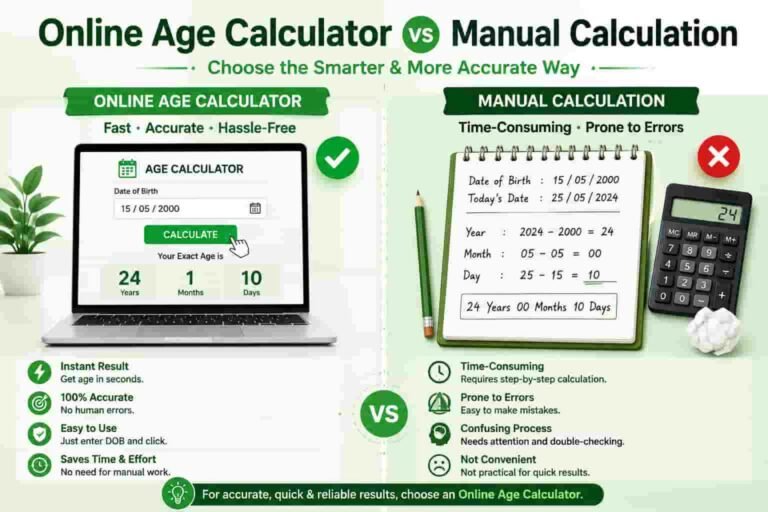
Instead of manually counting every Monday through Friday on a calendar, you can use a business days calculator to get a faster and more consistent result. Depending on the calculation method, public holidays may also need to be considered separately.
What Is a Business Days Calculator?
A Business Days Calculator determines the number of working days between a starting date and an ending date. In the most common calculation, Saturday and Sunday are treated as non-working days, while Monday through Friday are counted as business days.
For example, if a period contains several weekends, those Saturday and Sunday dates are normally excluded from the business-day total. This makes the calculation different from simply counting the total number of calendar days.
A business-day calculation can be particularly useful when a deadline is based on working days rather than ordinary calendar days.
Business Days vs Calendar Days
The main difference between business days and calendar days is the treatment of weekends. Calendar days include every day in the period, including Saturdays and Sundays. Business days normally exclude weekends.
For example, a five-day calendar period can contain fewer than five business days if it includes a weekend. Therefore, it is important to know which type of day count a deadline or schedule requires.
If you need to calculate the total number of days between two dates, you can also use our Days Between Two Dates Calculator .
How Does a Business Days Calculator Work?
A business days calculator generally starts with two dates: a start date and an end date. It then evaluates each date within the selected period and determines whether that date is a normal working day or a weekend.
The basic process can be summarized as follows:
- Enter the starting date.
- Enter the ending date.
- Identify the weekdays within the selected period.
- Exclude Saturday and Sunday when using a Monday-to-Friday workweek.
- Count the remaining working days.
- Review the final business-day total.
This approach makes working-day calculations easier than manually checking a calendar, especially when the date range covers several weeks or months.
What Counts as a Business Day?
In a standard five-day working week, Monday, Tuesday, Wednesday, Thursday, and Friday are usually considered business days. Saturday and Sunday are normally treated as weekend days.
However, working schedules can vary between organizations and countries. Some businesses operate on Saturdays, while others may use different weekly weekends.
Therefore, always check the working-week rules that apply to your specific business, project, contract, or location.
Do Business Days Include Public Holidays?
Not necessarily. A basic business days calculation may exclude weekends but still count public holidays as weekdays. Whether a public holiday should be excluded depends on the purpose of the calculation and the rules being used.
For example, a company may define business days as Monday through Friday while also excluding officially recognized public holidays. Another calculation may simply remove weekends.
For accurate deadline planning, clearly identify whether public holidays are included or excluded before calculating the final number of working days.
Why Use a Business Days Calculator?
Counting working days manually can become difficult when a date range extends over several weeks or months. A calculator can make the process faster and reduce simple counting errors.
- Calculate working days between two dates.
- Exclude weekends from a date range.
- Plan project deadlines.
- Estimate business delivery periods.
- Track working schedules.
- Compare working periods.
- Support administrative and planning tasks.
Business Days Calculator Example
Suppose you want to calculate the working days between a Monday and the following Friday. If the calculation uses a standard Monday-to-Friday workweek, all five weekdays can be counted as business days.
Now consider a period that starts on Monday and ends on the following Sunday. The date range contains seven calendar days, but Saturday and Sunday are normally excluded from a standard business-day calculation.
This example demonstrates why business days and calendar days should not be treated as the same measurement.
Business Days and Date Difference Calculations
Business-day calculations are closely related to general date calculations. However, the two calculations answer different questions.
A date difference calculation normally measures the distance between two dates, while a business-day calculation focuses on working days within that period.
For a broader explanation of date calculations, visit our Date Difference Calculator .
You can also use our Months Between Dates Calculator when you need to understand the number of complete months and remaining days between two dates.
Business Days and Weeks
A standard five-day working week contains five business days. Therefore, converting a long period into weeks can help provide a quick estimate of the working-day total.
However, exact calculations can vary when the starting or ending date falls in the middle of a week. For this reason, calculating the actual dates is more reliable than simply multiplying the number of weeks by five.
If you need to measure a period in weeks, our Weeks Between Dates Calculator can help you understand the calendar period between two dates.
Business Days for Project Planning
Project managers often work with business-day deadlines. A task may need to be completed within a specific number of working days rather than within a fixed number of calendar days.
For example, a company might give a customer five business days to respond to a request. In that situation, weekends may not count toward the deadline.
Using a consistent business-day calculation helps teams create clearer schedules and communicate deadlines more accurately.
Business Days for Delivery and Processing Times
Businesses frequently describe processing and delivery times using business days. Online orders, administrative requests, applications, and customer services may all use working-day estimates.
When a company says that an order will be processed within a certain number of business days, the stated period may not include weekends. Public holidays may also affect the actual processing time.
Therefore, checking the business calendar and applicable holiday schedule can provide a more realistic expectation.
How to Calculate Business Days Manually
You can calculate business days manually by following a simple process. First, write down the start and end dates. Next, move through the calendar one day at a time and identify the weekdays.
- Choose the start date.
- Choose the end date.
- Check each date within the range.
- Count Monday through Friday.
- Exclude Saturday and Sunday.
- Exclude public holidays if your calculation requires it.
This method works for short periods, but it becomes time-consuming for long date ranges. A calculator can make the process considerably easier.
Business Days in Different Countries
Business-day rules are not identical everywhere. Many organizations use a Monday-to-Friday schedule, but weekend arrangements and public holidays can differ by country and organization.
For this reason, a business-day result should always be interpreted according to the calendar and working schedule relevant to the situation.
This is particularly important when calculating international contracts, shipping deadlines, financial processing periods, or cross-border projects.
Business Days vs Working Days
The terms business days and working days are often used interchangeably. In many situations, both refer to the days on which normal business operations take place.
However, the exact definition can depend on an organization’s policy. Some organizations may define working days differently from the standard Monday-to-Friday schedule.
Always follow the definition provided by the company, institution, contract, or official deadline when precision matters.
Tips for Accurate Business-Day Calculations
- Use the correct start and end dates.
- Confirm whether the start date should be included.
- Confirm whether the end date should be included.
- Check the organization’s normal working week.
- Consider public holidays when required.
- Use the same calculation method consistently.
These details can prevent confusion when a deadline is close or when several people are working with the same schedule.
Related Date Calculators
Business-day calculations are only one type of date calculation. Depending on what you need to find, other calculators can provide more suitable results.
- Age Calculator by Date of Birth — Calculate your age from your complete date of birth.
- Date Difference Calculator — Find the difference between two dates.
- Days Between Two Dates Calculator — Calculate the number of days between dates.
- Weeks Between Dates Calculator — Calculate the number of weeks between two dates.
- Months Between Dates Calculator — Find complete months and remaining days between dates.
- Date of Birth Calculator — Work with date-of-birth calculations.
- Age Difference Calculator — Compare the age difference between two people.
Frequently Asked Questions
What is a Business Days Calculator?
A Business Days Calculator calculates the number of working days between two dates. A standard calculation usually counts Monday through Friday and excludes Saturday and Sunday.
Are Saturday and Sunday business days?
In a standard Monday-to-Friday workweek, Saturday and Sunday are normally not business days. However, some businesses operate on weekends, so the applicable working schedule should always be checked.
Do public holidays count as business days?
It depends on the calculation rules. Some business-day calculations exclude public holidays, while basic weekday calculations may only exclude weekends.
What is the difference between business days and calendar days?
Calendar days include every day in a date range, while business days normally exclude weekends and may also exclude public holidays depending on the calculation method.
Why are business days important for deadlines?
Many organizations use working days to define processing times, project deadlines, applications, deliveries, and customer-service periods. Business days provide a more practical measure when normal operations do not occur every day of the week.
Can business days vary by country?
Yes. Weekend schedules and public holidays can vary between countries and organizations. Therefore, international business-day calculations should use the relevant local calendar.
Final Thoughts
A Business Days Calculator provides a convenient way to determine the number of working days between two dates. By excluding weekends and, when required, public holidays, you can create more accurate schedules for projects, deliveries, deadlines, and administrative tasks.
For the most reliable result, always confirm the working-week definition, holiday rules, and whether the start and end dates are included. When you need other date calculations, use the relevant calculators on AgeCalculator.net.pk to work with dates and time periods more efficiently.