How to Calculate Age Accurately
How to Calculate Age Accurately
The exact formula for finding your age in years, months, and days — including leap years, cut-off dates, and the mistakes that throw manual calculations off. Plus a free instant age checker.
Quick Answer: How to Calculate Age Accurately
To calculate age accurately, subtract your birth year from the current year, then subtract one more if your birthday hasn’t happened yet this year. For the exact remainder in months and days, compare the month and day separately once the year is settled.
Most manual mistakes happen because people forget that a “year difference” is not the same thing as “age” until the birthday has actually occurred. Below, I’ll walk through the exact method, then show you how leap years and date cut-offs can quietly shift the result by a day.
Why Manual Age Calculation Often Goes Wrong
Most people simply subtract the birth year from the current year. However, this method breaks the moment your birthday hasn’t happened yet in the current year. For example, someone born in December is technically a year younger than the simple subtraction suggests, right up until their birthday actually arrives.
Add leap years into the mix, and the margin for error grows even further. A calculation that looks correct on paper can be off by a full year if the birthday check step is skipped.
The Correct Formula for Calculating Age
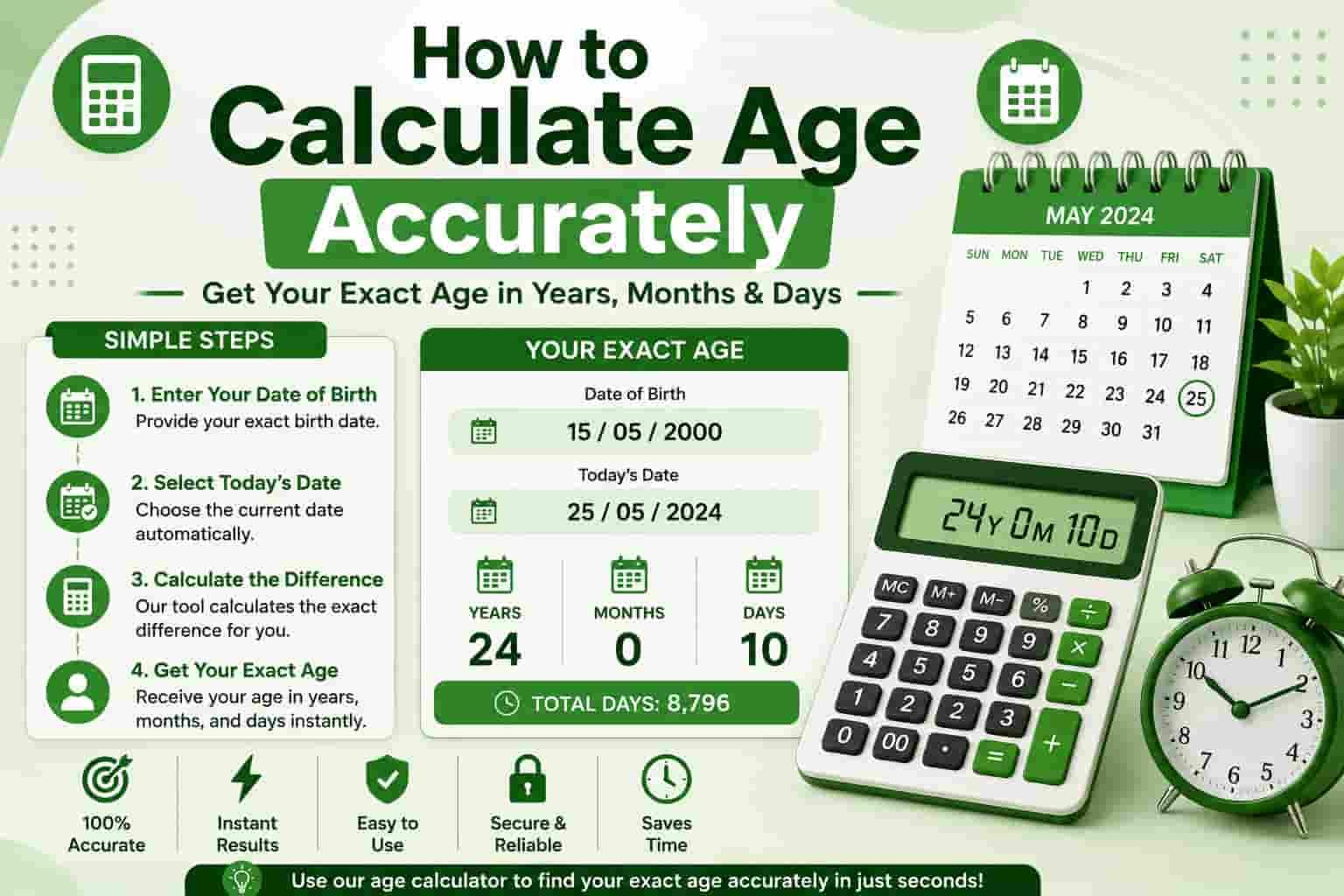
To calculate age accurately, follow these steps in order:
- Note your date of birth (day, month, year).
- Note today’s date, or whatever reference date you’re calculating against.
- Subtract the birth year from the reference year.
- Check whether the reference month and day come before your birth month and day. If so, subtract 1 — your birthday hasn’t occurred yet this year.
- For a precise breakdown, calculate the remaining months and days separately once the year difference is finalized.
Instant Age Checker
Enter your date of birth below to see your exact age in years, months, and days as of today.
For age on a specific target date — such as a cut-off date for a job or exam — use our full age calculator on the homepage.
Skip the Manual Math
Get your exact age instantly — in years, months, days, and even hours.
Try the Free Age CalculatorWhy Leap Years Matter
Leap years add an extra day, 29 February, roughly every four years. If your birthday falls on or near this date, or if a leap year falls within the date range you’re calculating, it can shift the day-count portion of your age by one day.
A proper age calculator accounts for this automatically using standard calendar logic, which is exactly where manual math most often goes wrong. If you were born on 29 February, most systems treat 28 February or 1 March as your birthday in non-leap years, so it’s worth double-checking which convention applies to your situation.
Step-by-Step Example
Suppose someone was born on 15 March 2000, and today’s date is 1 August 2026.
| Step | Calculation |
|---|---|
| Year difference | 2026 − 2000 = 26 |
| Has birthday passed this year? | Yes — March comes before August |
| Remaining months | August − March = 4 months |
| Final age | 26 years, 4 months, 17 days |
Different Ways People Measure Age
- Chronological age — the standard years, months, and days since birth.
- Age in months — commonly used for infants and toddlers.
- Age in days or hours — used for milestones, legal purposes, or curiosity.
- Age next birthday — useful for insurance, forms, and eligibility checks.
Common Age Calculation Mistakes
Mistake 1: Forgetting to Check the Birthday
Subtracting birth year from current year without checking whether the birthday has occurred yet is the single most common error. It silently adds a year whenever the current date falls before the birth month and day.
Mistake 2: Ignoring Leap Years
When counting age in exact days, skipping leap-year adjustments can throw the total off by one or more days depending on how many leap years fall within the range.
Mistake 3: Mixing Up Date Formats
DD/MM/YYYY and MM/DD/YYYY look similar but produce very different results. Always confirm the format before doing the subtraction, especially when working from official documents.
Mistake 4: Using the Wrong Reference Date
For eligibility checks, such as job applications, exams, or legal age requirements, age is often calculated on a specific cut-off date rather than today’s date. Using the wrong reference date is a common source of disqualification.
When Accurate Age Calculation Really Matters
Precise age calculation isn’t just trivia — it plays a role in job applications, school admissions, passport and visa forms, insurance policies, retirement eligibility, and legal documentation. A single day’s error can occasionally affect eligibility for age-restricted requirements, which is why using a dependable method is worth the extra minute.
Frequently Asked Questions
Is there an easy way to calculate age without doing math?
Yes — enter your date of birth into an online age calculator and it instantly shows your age in years, months, and days without any manual subtraction.
Does the calculation change based on time zone?
For most everyday purposes, no — age is calculated using calendar dates rather than exact time zones, unless you specifically need hour-level precision.
How are leap years handled in age calculators?
Reliable calculators use standard calendar libraries that automatically account for leap years, so you don’t need to adjust anything manually.
What if I was born on 29 February?
In non-leap years, most systems treat either 28 February or 1 March as the equivalent birthday. Check which convention applies for anything official, since it can vary by institution.
Why does my age calculation differ from a form I filled out?
This usually happens when the reference date differs — today’s date versus a fixed cut-off date used by the form or institution. Always confirm which date the age should be calculated against.